








The operating system for post production.
You’ve already seen the work

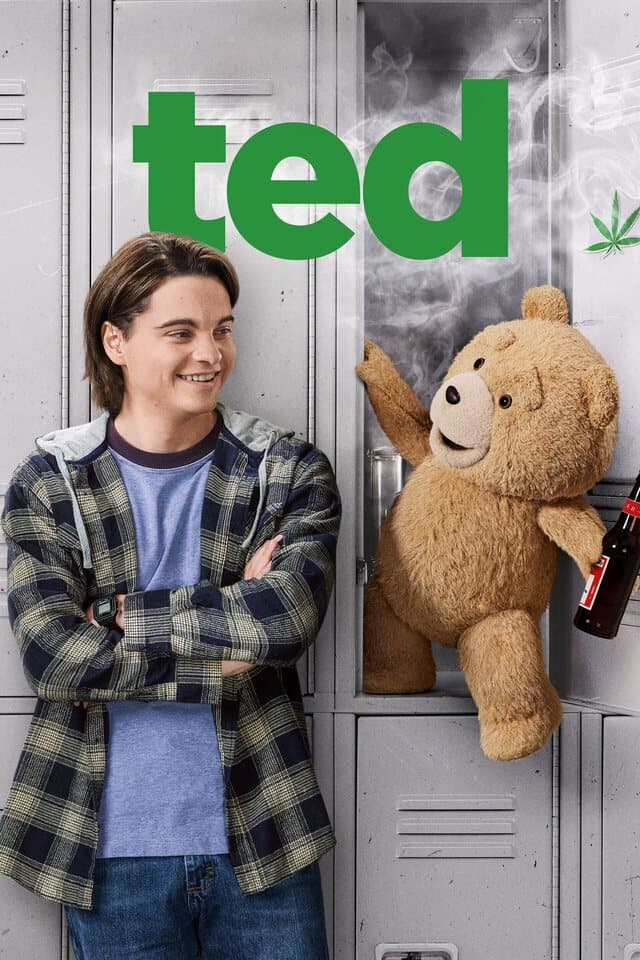
Ted S2
Peacock

Dear England
BBC One

Mutiny
Feature film

Strife S2
Soundfirm

Ghosts S5
Residence
Companies running Origami


From timeline to vendor
Editorial timeline


Read once. Carried the whole way.
Scene, slate, take, the CDL colour decision, the LUTs, the lens data. Origami reads it once off the media, binds it to every clip, and carries it from set through editorial, VFX and finishing. Nobody re-keys it, and DI stops chasing mismatches.
- Set
- Edit
- VFX
- Finish
Open standards: OpenTimelineIO · ASC CDL · Cooke /i · MovieLabs OMC JSON
Bandwidth, egress, storage and schedule
The cut asks for about 10% of what was shot.
Origami moves only those files, and then only the frames they use. The two multiply: about 1% of the media leaves, a transfer 99% smaller, and the work at the far end starts sooner.
One delivery, and that is all that moves
about 1%
Two reductions, one after the other. Around 99 percent of the data never leaves the storage it was already on.
Work starts sooner
A far smaller transfer finishes far earlier, and completed shots can be downloaded as they land rather than when the whole job finishes. The vendor starts on the first ones while the rest are still arriving.
Less bandwidth
The line you already have stops being the thing that decides your schedule.
Better cloud value
Cloud storage bills you for what leaves the bucket. Far less leaves it, and nothing is parked on-prem just in case.
Less storage
The vendor at the far end stores the frames of the cut, not the whole roll.
How far it goes depends on the turnover. What does not change is the shape: you move the files the cut names, cut to the frames it uses, and everything else stays where it already was.
So the negative is never touched
We trim the camera original itself.
Origami copies out only the frames in the cut, in the file’s own codec, without re-encoding. Twelve picture formats and the production sound. The rest of the roll never leaves your storage, and the negative is never touched.
And the production sound
Avid Op-Atom arrives off the broadcast server as separate files: the video, and each audio track on its own. Origami trims and conforms them together and re-stamps the UMID, so Media Composer re-groups them as one master clip.
Production sound is cut the same way, inside the RIFF container itself, with nothing re-encoded.
The essence is copied out in its own codec. The trimmed frames are the original frames.
Hunting, re-typing, shipping whole rolls. None of that is the work. The cut is.
“It helped me lighten up the workload for certain tasks so I could focus more on support for the colourist.”
Maikel Popic
Post Assist, Unit Film & TV
“Staffing aside, the accuracy on time-sensitive pulls is the appealing part.”
Jeff Brink
Point 360
“Once that was sorted, I honestly did not have to worry about it. It just sat there, did what it needed to do.”
Maitland Buchanan
Unit Film & TV
“The ability to streamline time-consuming tasks with Origami was a huge advantage on Strife S2. The efficiencies let our editorial team stay focused on the creative needs of the show.”
Lisa Jacobi
Post Production Supervisor, Soundfirm
AI agents and agentic workflows
Turn a meeting into a VFX pull. In one prompt.
No email chain, no spreadsheets, no follow-ups. Your AI assistant works with Origami through its own MCP endpoint: it finds the shots, builds the job and delivers, with strong control and safeguards. It still asks before it sends anything.
Why have two clips stopped, and what do I do?
Both are Not Detected. Here is what Origami says about it.
How do frame handles actually work on a conform pull?
Straight from the help pages, quoted rather than summarised.
Get all the foley from scene 32 to the sound mixer.
Nineteen wild tracks tagged scene 32. Collected, ready to send.
Sound mixer profile
Searching the index, writing a set. Sending it is a separate step you confirm.
Strong safeguards, so you stay in control
You decide what it can do
It never gets more than your own permissions allow, and it can only ever subtract from them, never add.
It never sees your media
No downloads, no file contents, no playback links. Names, timecodes and job detail, nothing else.
Origami runs no model
We train nothing on your material, and the endpoint is off until you switch it on.
Any storage. Any mix. No consolidating.
A SAN in London, a NAS over the road, loose hard drives, an S3 bucket. Origami treats them as one repository, where they are. The platform becomes the one place you access all of it.
Connect any mix of storage and Origami reads everything in place. One platform where you access all of it; nothing is moved, nothing is consolidated.
S3 providersAWSBackblazeWasabiMinIO
Keep a master and a backup in two places and Origami knows about both. If one site goes down, it automatically pulls from the other.
Point Origami at storage you already own. Nothing moves, nothing is replicated. Mac, Windows and Linux.
Origami generates a single-use connect code for this storage.
Storage code
Copied to clipboard
Storage code
Volume path
Cache directory
Volume path
And the conform runs where it makes sense.
Not every job should go to the cloud and back. Origami picks the route per job, moves only the frames the cut names, and when both ends are on the same Link machine the media never leaves the building.
Four stores, one grading volume
Four stores of rushes, two of them at other sites. Only the frames the cut names move to the grading storage; the rest stays on the shelf. The remote shares arrive through Origami, because separate Link machines never count as one.
Copying locally covers conform and transfer jobs, when it is switched on for the project. A VFX pull renders in the cloud, and so does any job going out to more than one recipient.
So nobody hunts for the media
One set of media. Every structure it needs to be in.
Put it all in one shared folder and every vendor after the first takes someone else’s structure. Leave it where it landed and you spend the week hunting for it. Origami does neither.
Harbour Sound
Act C
The same seven, every time. Nothing was copied to make any of these shapes.
kestrel_ep104/collection name
a003/per reel, no date
a003.csvsidecars beside the media
b001/
b001.csv
And flat, per reel, with the sidecars beside the media. One set, three shapes, and the media never moved to make any of them.
A collection is a set, not a second copy. It belongs to the project and to the person who built it, and the same set can go out to as many recipients as you like, each in their own structure.
“Origami has reclaimed valuable hours for our editors and support staff. It empowers our creative team to focus on what truly matters.”
Robert C. Rodriguez
VP Post Production, Point 360
So the mix is never re-typed
Conform the sound on its own, or with the picture.
Sound has always been the part of the conform someone finishes by hand. Origami treats it as first class: run it alone, run it with the video, or drive both from one AAF. Either way the files that belong to one clip are found by the identifier Avid wrote into them, trimmed to the edit, and handed back as a single master clip.
Grouped by the UMID Avid wrote. Eight files in, one clip out.
And it lands in the bin as one master clip, with every field the mixer wrote still attached.
Everything the mixer wrote, still attached
Read off the file
- Scene
- 47B
- Take
- 3
- Sound roll
- EP104_R2
- Circled
- Yes
- Wild track
- No
- User bits
- 26 03 14 02
- Time reference
- 1 782 144 samples
- Family UID
- USMXF…4C21
The channel names the mixer typed, read from the iXML track list. All of it survives the trim: Origami cuts the audio, moves only the time reference, and re-encodes nothing.
See all 43 columns of the audio manifest
The audio manifest, column by column.
43 of them
Fifteen your sound department already recognises
The headers are built to line up with the Sound Devices Wave Agent report, so anything that reads that sheet reads this one.
And twenty-eight only Origami can fill in
What the recorder wrote, plus what the conform knows: which event the clip was cut for, and the identifiers that keep the files bound together.
Only the frames in the cut ever leave the building.
iriscolour verificationThe vendor sees exactly what the editor saw.
Every pull ships with the colour already applied: auto-named CDLs, the right LUTs from your project, and V-zero proxies at 1080p with the look baked in. When a shot drifts, the colour check catches it before it ships.
Guidance, not a QC stamp. Iris flags the drift, your colourist makes the call.

String-out · editor’s referenceOpen standards
Portable because it is built on open formats.
No lock-in: the package speaks the formats the rest of your pipeline already does.
OpenTimelineIO
Read on submission and written into the packages that ask for it, with the string-out proxy and the plates on separate tracks so you can A/B the shots on import. The colour rides alongside, as a CDL the timeline points at.
ASC CDL
The primary colour decision, auto-named after the plate.
ACES
ACES-aware, so colour stays in a consistent scene-referred space.
OpenColorIO
The colour chain is built around an OCIO config, so the show config you already use maps straight through.
Cooke /i
Per-frame lens data as a per-clip dynamic CSV.
MovieLabs OMC
OMC-JSON v3.0 export, validated with MovieLabs' own omcValidate tool. Available in the product, switched on per project.
MovieLabs 2030 Vision
Built on MovieLabs’ vocabulary.
MovieLabs set out a vision for how production should work by 2030. Origami is a member, our engineers sit in the group drafting the Ontology for Media Creation, and the data model underneath the product has used MovieLabs’ own terms since they published their first paper.
Principle 1
Assets go straight into the cloud and need not move.
Origami reads camera originals in the bucket they were uploaded to. Keep them on a SAN behind Origami Link instead, or both: it is one index either way.
Principle 2
Applications come to the media.
Origami indexes your storage where it sits and reads the metadata in place. Nothing is replicated to be found.
Principle 4
Archives are deep libraries.
Everything a production has ever indexed stays searchable by what the camera wrote: scene, take, slate, lens, ISO, LUT, however long ago it was shot.
See all nine principles Origami can show
Principle 5
Preservation includes the future means to access and edit.
The originals are never rewritten, the metadata is versioned rather than overwritten, and the record can leave as OMC, OpenTimelineIO and CSV, readable without us.
Principle 6
Every individual is identified and verified, and their access consistently managed.
Named, invited accounts with no shared logins and no stored passwords, and access that is granted per production and fails closed.
Principle 7
Media creation happens in a highly secure environment that adapts to changing threats.
Roles scoped to the organisation and to each project, cloud media reached through signed links that expire, and staff access to customer data written to a ledger before the read happens.
Principle 8
Media elements are interrelated by a universal linking system.
Picture and sound are joined on identifiers the camera and the recorder wrote, and every asset carries its relationships in the ontology’s own words: derivation, representation, accompanying, with its metadata versioned underneath.
Principle 9
Workflows are non-destructive, and built dynamically from common formats and metadata.
The original is never touched; every trim is a new file. And the job is shaped by rules: conditions on the metadata pick the render profile, and package profiles lay out the folders.
Principle 10
Workflows are designed around iteration and feedback.
Each job reports as it runs, and finished shots can be picked up as they land rather than when the whole job ends. The next step starts on the first shot, not the last.
The export, as shipped
Hand over a job the next system can read on its own.
OMC 3.0 lands this year, and the export is in Origami now. It writes the whole job as a file the receiving system can read on its own: what the job was, what went in, what came out, and who it is for.
The pull you submitted. One job, one task.
Every clip that went in and every file that came out.
Who submitted it, and every vendor it is going to.
New in version 3.0. The file states how those pieces connect, not only that they exist.
Origami’s own detail rides here in namespaced blocks. The job’s identity is above; further down the same file, per clip, sit checksum, file size, loudness, immersive audio, UMIDs, colour space, transfer function, QC results, retime and frame handles.
The same detail Origami writes into its manifests. The main manifest carries over 130 fields, and the audio manifest 43 columns, 15 of them built to match the Sound Devices Wave Agent sound report. Transfer jobs use a shorter seven-column sheet.
Validated
Checked with omcValidate, MovieLabs’ own tool, across vfx, conform and transfer jobs.
A member
Origami is a member of MovieLabs, and our engineers sit in the group drafting OMC 3.0.
Available
Supported in the product, switched on per project.
So you know who did what
Every show is a promise about who can see what.
A facility’s whole business is other people’s material. Hand any of it to a platform and two questions come before any feature: who can reach this, and what happened to it. Origami answers both, for the whole company and for each show on its own, and gives you the tools to change the answer.
Full control, at the company and at the show
Organisations, teams, roles and policies, set once for the whole company or differently for one production. Invite another company onto a single show and it reaches that show and nothing else.
Full visibility of who did what
Every task on the platform is a job, and every job records who submitted it, when, and where it went. Pull the record for a production as a PDF or a CSV whenever you need it.
And who can do what, explained
Ask why a person can reach a show and the answer comes back as the chain of grants that gives it to them, most direct first. Revoke one and it is gone immediately.
Why does this person have access?
Priya Raman
On the roster for Kestrel S2
Three sources of access
Their own role on this project
MemberSubmits, views and cancels jobs on Kestrel S2.
Their organisation, which owns the project
Projects memberGranted across the organisation, not for this show alone.
A seat taken through their company’s participation
ContributorSees the work shared with their organisation here.
Take one of those away and the answer changes in front of you. Remove the person and every route is cut at once, keyed on their Origami record rather than on whichever login they arrived through.
The record itself is tamper-evident: every entry carries the fingerprint of the one before it, and once a day a fingerprint of the whole is written to storage the writing system has no permission to delete, and kept for three years.
Questions buyers ask
The questions teams actually bring to a demo: storage, trust, formats and commercials.
Take Origami for a spin with your own material.
A twenty-minute demo on a call, then a demo account on your own footage: pulls, conforms, deliveries, colour carried with the frames, and your AI assistant driving it.
Or pick a time now and skip the form.